Scripting Architecture & The Sandbox
Struktural allows developers to write raw C# code directly in the Studio editor (or via .cs.script files in the Scripts/ directory). This code is compiled on the server and executed natively, providing maximum performance for complex business logic.
Dynamic Compilation (Roslyn)
You do not write full C# classes or namespace declarations. You only write the body of an asynchronous method (async Task). The engine wraps your code in a generated class structure behind the scenes.
When changes are saved, the Microsoft Roslyn compiler translates the raw text into an in-memory Dynamic Link Library (DLL).
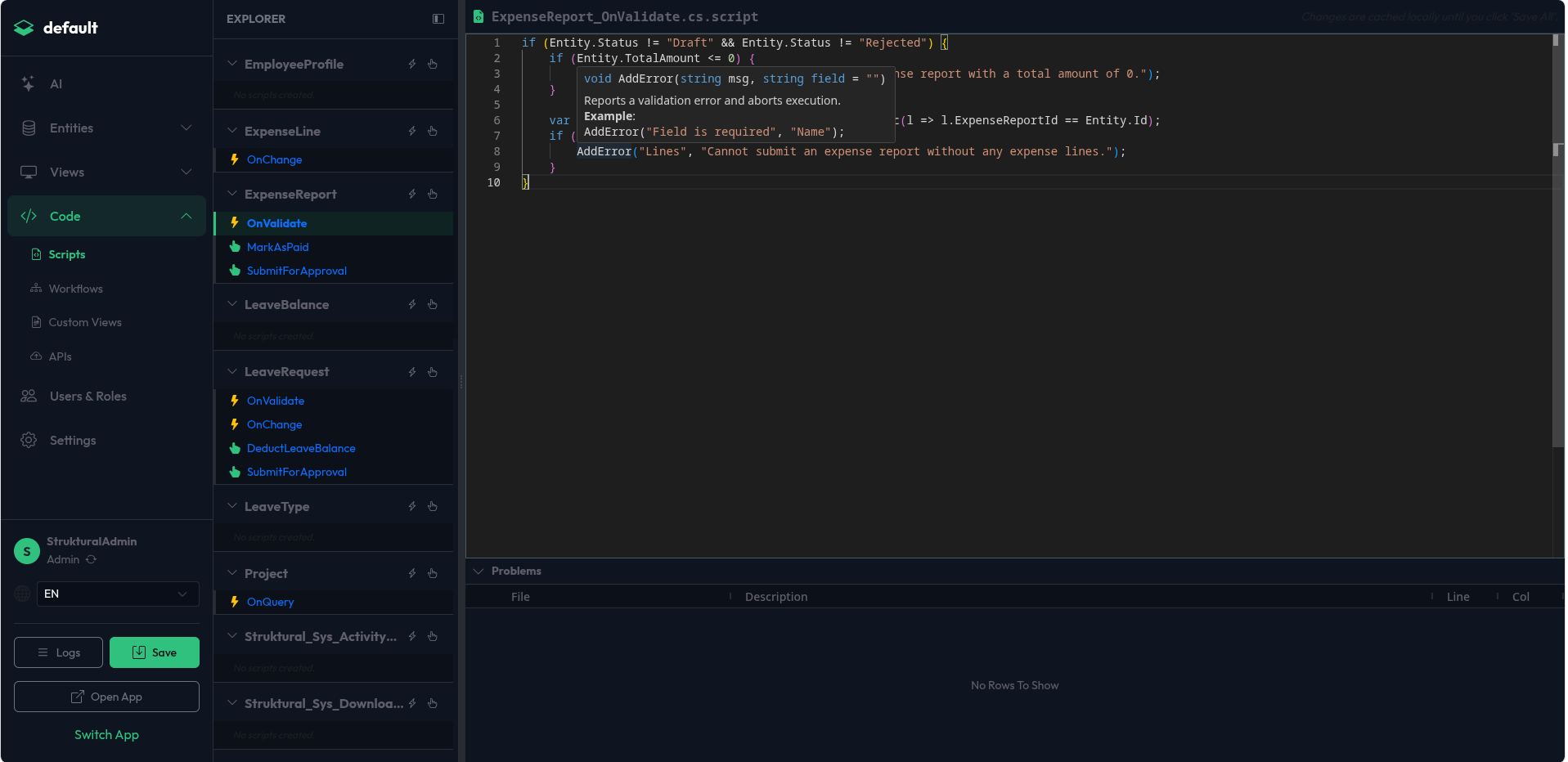
The Script Editor UI
Navigate to the Scripts module in the Studio. The left sidebar presents an Entity Explorer.
- Event Hooks: Click the Lightning icon next to an entity to attach standard lifecycle hooks (e.g.,
BeforeCreate,OnValidate). - Custom Actions: Click the Hand icon to create a new Custom Action that can be invoked by UI buttons or Workflows.
- Live Diagnostics: The central Monaco Editor provides real-time C# syntax highlighting, IntelliSense autocompletion, and error diagnostics powered by the backend Language Server Protocol (LSP).
The AssemblyLoadContext (ALC)
To support Hot-Reloading without restarting the Kestrel server, the compiled DLL is loaded into a collectible AssemblyLoadContext specific to the tenant. When new code is compiled, the old ALC is marked for unloading, and a new one takes its place.
The "Static" Ban (CRITICAL)
Because of how the .NET Garbage Collector interacts with ALCs, you are strictly forbidden from using the static keyword in your scripts.
Defining static variables, static properties, or local static functions will create an unbreakable strong reference (a GC Root) to the dynamically generated class. This prevents the ALC from unloading. Over multiple saves, this will cause a catastrophic memory leak resulting in an OutOfMemoryException.
- WRONG:
static readonly decimal TaxRate = 0.2m; - CORRECT:
const decimal TaxRate = 0.2m;orvar taxRate = 0.2m;
Security Sandbox Restrictions
To protect the server environment, especially in multi-tenant SaaS deployments, the Roslyn compiler enforces a strict syntax walker that blocks potentially dangerous operations.
You cannot import or use the following namespaces and classes:
- File System:
System.IO(e.g.,File,Directory,StreamReader). If you need to handle files, you must use theStruktural_Sys_Fileentity via EF Core. - Reflection:
System.Reflection(e.g.,Type,MethodInfo,Activator). - Processes:
System.Diagnostics(e.g.,Process,Environment). - Direct Networking:
System.Net(e.g.,HttpClient,Socket). If you need to call external APIs, you must define an External Service in the schema and use the injectedServicescontainer.