Architecture & Triggers
Struktural Workflows execute outside the HTTP request lifecycle. They are processed by background workers (or scalable consumers if using Kafka) ensuring the UI remains highly responsive.
Ephemeral Execution (Snapshotting)
The engine uses a stateless, ephemeral execution model to optimize RAM.
- When a workflow starts, an execution context is created in memory containing the database context, the target entity, and user variables.
- The workflow executes nodes synchronously at extreme speed until it hits a "Wait State" (e.g., waiting for a date or a user approval).
- Upon hitting a wait state, the engine serializes the variables into JSON, saves a
Struktural_Sys_WorkflowInstancesnapshot to the database, and destroys the thread. - When the wait condition is met, a worker reads the JSON, rehydrates the memory state, and resumes execution seamlessly.
Designing Workflows via the Studio UI
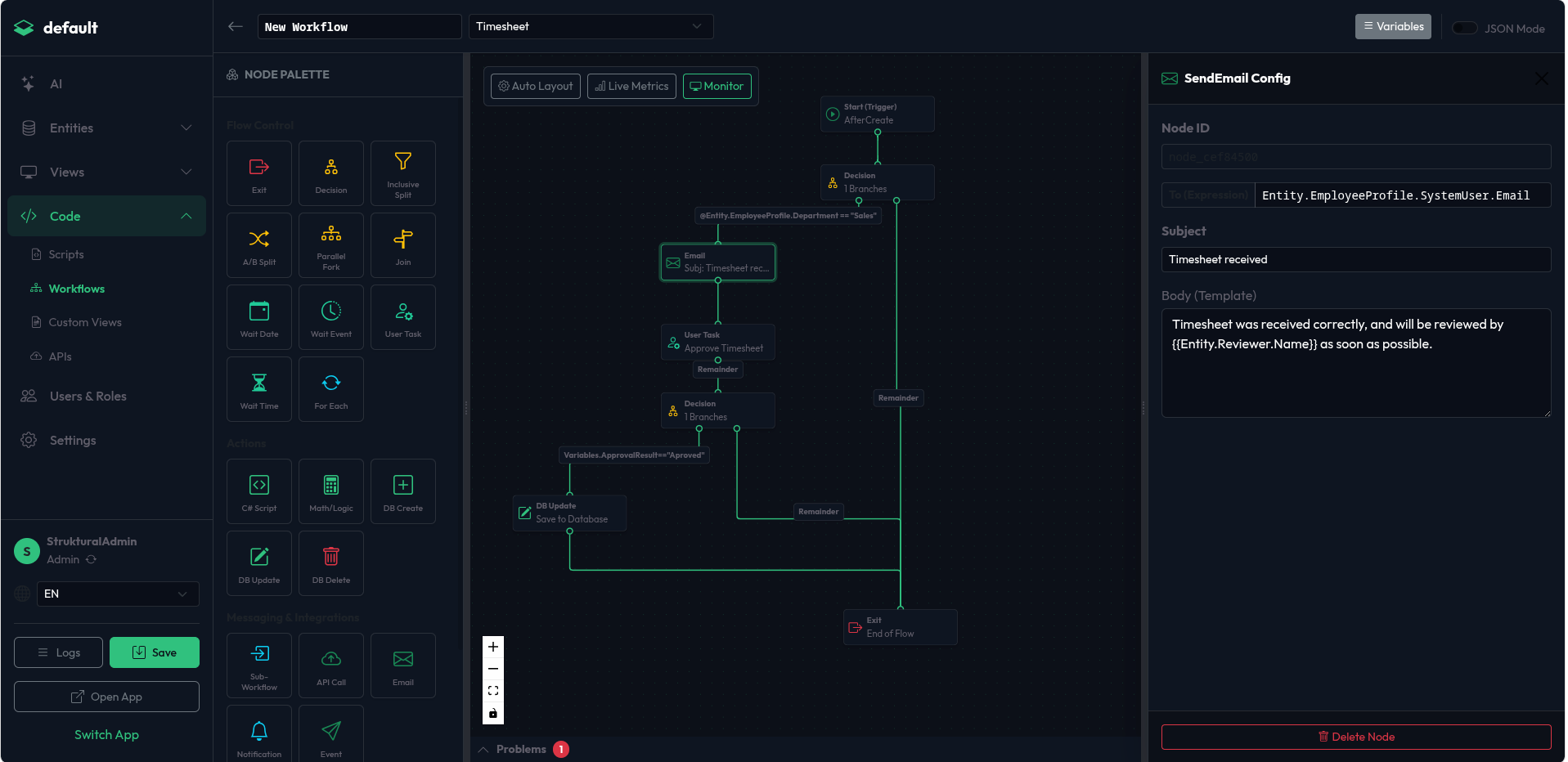
Administrators construct workflows using an interactive drag-and-drop designer.
- Navigate to the Workflows module and click Create Workflow.
- Node Palette (Left): Drag desired actions (e.g.,
SendEmail,UpdateRecord) and logic gates (DecisionSplit) onto the canvas. - Canvas (Center): Connect the flow by dragging lines from a node's output handle (bottom) to another node's input handle (top).
- Configuration (Right): Click any node on the canvas to open its properties pane. Here you configure dynamic expressions, target variables, and specific settings for that node type.
Configuring Triggers
A workflow is initiated by configuring its Trigger object.
1. EntityEvent Trigger
Triggers reactively when a record is modified.
- Event: Can be
AfterCreate,AfterUpdate, orAfterDelete. - Condition: A Dynamic LINQ expression evaluated against the entity to decide if the workflow should start.
- Example:
"Condition": "@Entity.Total > 1000"
- Example:
2. Schedule Trigger (Cron)
Triggers repeatedly on a defined schedule and processes a massive batch of records (Fan-Out).
- CronExpression: Standard cron format (e.g.,
0 8 * * 1for every Monday at 8 AM).- UI Approach: Use the visual dropdowns in the Trigger configuration to select the frequency (e.g., "Weekly" -> "Monday", "08:00"). The Studio automatically generates the correct Cron expression.
- AudienceFilter (CRITICAL): You MUST use the
AudienceFilterproperty using theFilterNodeJSON structure to define which records should be processed by the schedule. Do not use theConditionproperty.- Example FilterNode Logic: Select all Invoices where
DueDateis less thannowandStatusis notPaid.
- Example FilterNode Logic: Select all Invoices where
3. Webhook Trigger
Allows external systems to start a workflow by making a POST request to /api/workflows/{workflowId}/webhook. The JSON payload sent by the external system is automatically deserialized and injected into the @Entity variable of the execution context.